Here is how it is done or at least how its been working for me:
When you unzip the sdk 2013, the tool will be on the SDK/bin folder:
double click “PluginRegistration.exe”

Create a new connection and fill with this information:

Label: Just pick a relevant name like “mycrmonline”
Discovery URL: https://disco.crm5.dynamics.com (*This applies to every one using CRM online)
User Name: youruserid@crmorgname.onmicrosoft.com (this is the what you enter for user id when you login to your crm online)
Click “Connect” and Enter your password. Click OK.
It should now display your organisation:

Double-Click your organisation. It will grey out for a few seconds and open up like this:
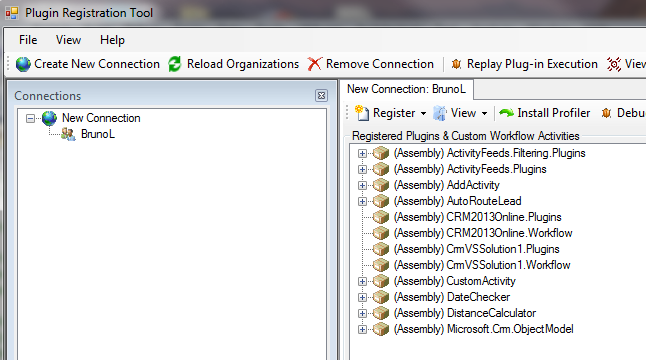
You should now be able to register/unregister plugins and sandboxed workflows.


No comments:
Post a Comment