Requirements
- your canvas app that you want to embed.
- Model driven app
- Dashboard to embed the canvas app inside it.
You can create new dashboard from the solution.- In your Solution Click New --> Dashboard --> and then choose to add Dashboard layout for example here 2 column overviews
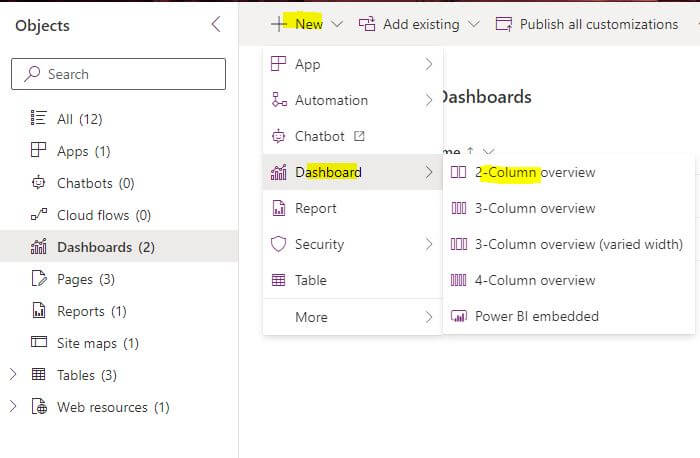
Embed embed canvas app in model driven app dashboard
- Insert IFRAME inside your dashboard that you want to embed the canvas on
- then write the Web URL of your canvas app
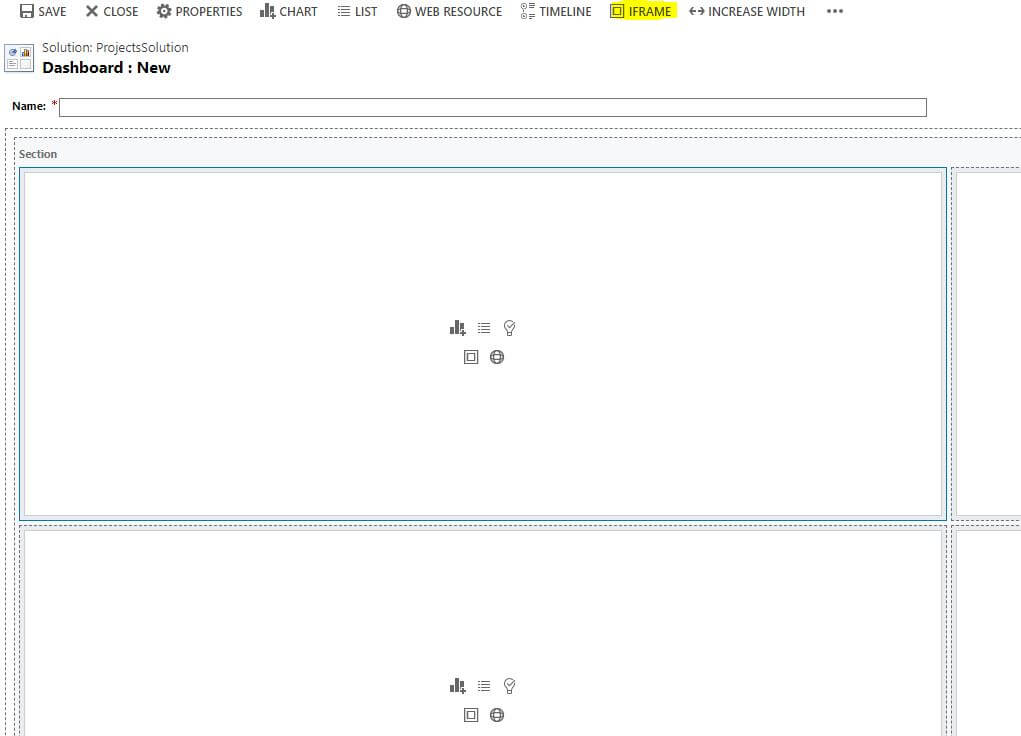
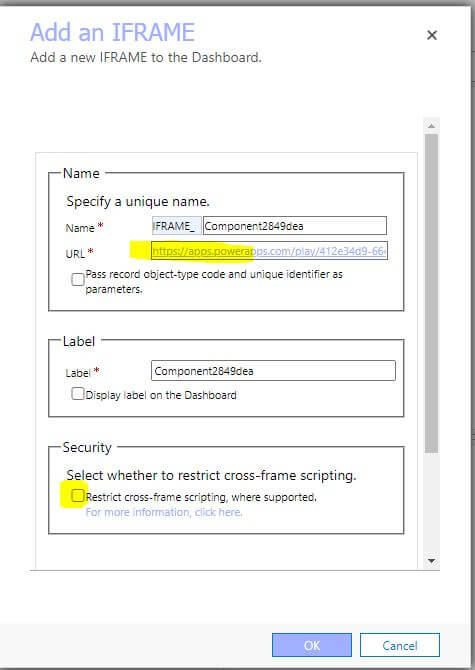
we need to uncheck the cross frame scripting restriction as the canvas app uses powerapps.com domain and the model driven app runs on dynamics.com domain
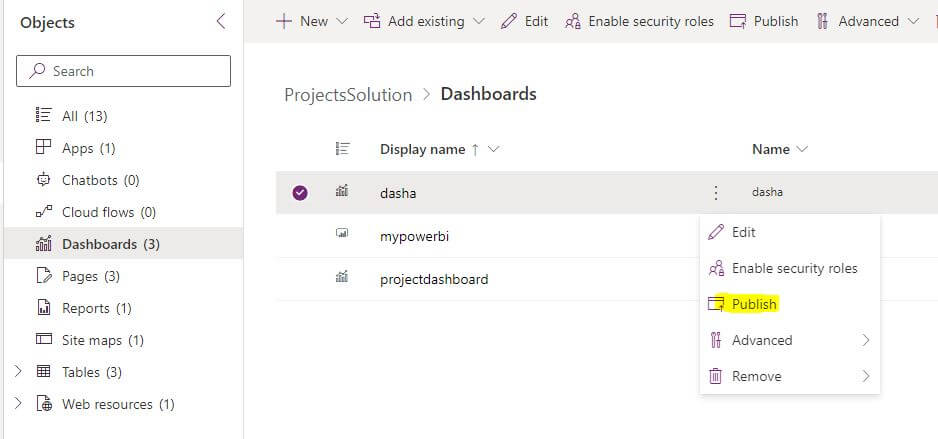
- Publish your Dashboard and Publish all the customization in your solution
- Open your Model driven app and add your dashboard
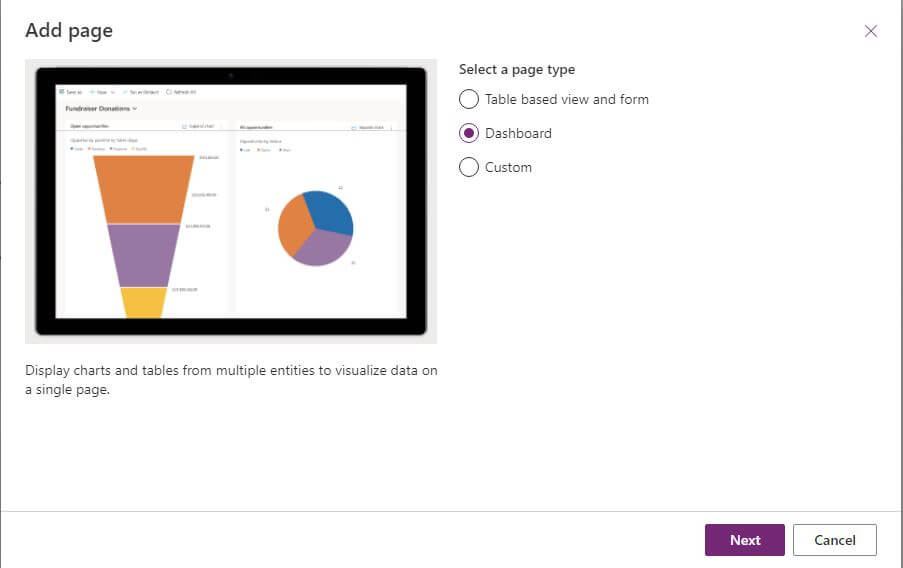
- Add page and choose Dashboard and then choose the dashboard name you will find it in the system dashboards section
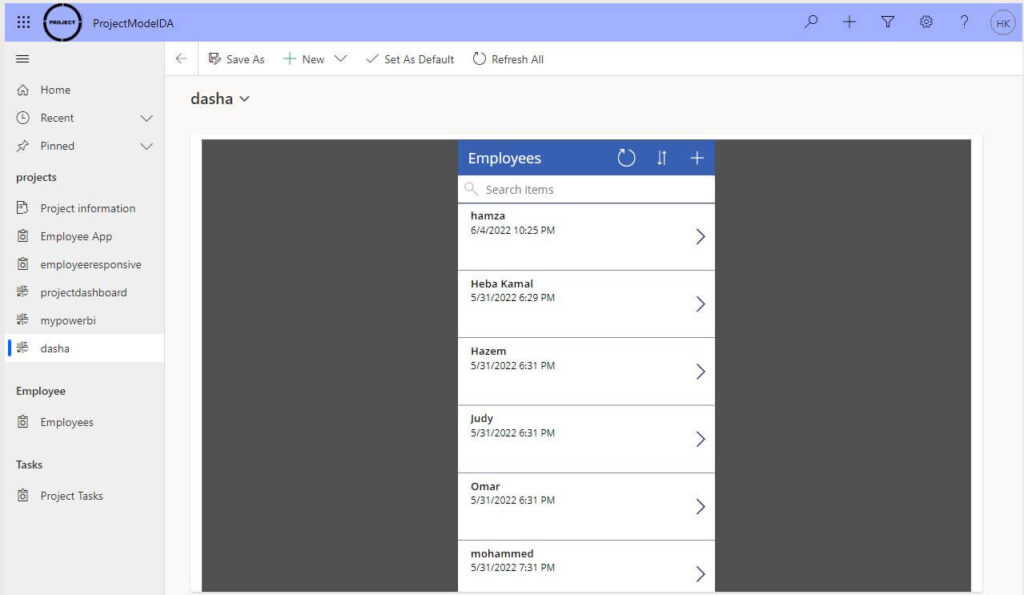
- Save and Publish your Model driven app and then refresh and choose your dashboard
Now you embed your Canvas App on a Model Driven App Dashboard


No comments:
Post a Comment